SERVER-SIDE TRACKING SETUP

Server-Side Tracking Setup for More Accurate Data, Better Measurement and Smarter Decisions.

Set up server-side tracking with Google Tag Manager, Stape, or an appropriate server environment to improve data quality, reduce reliance on browser-only collection, and build a more reliable measurement foundation across your marketing platforms.
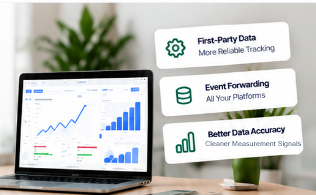
Server-side tracking dashboard illustration with first-party data, event forwarding, and clean measurement signals
Platforms We Work With
Google Tag Manager
Stape
Google Analytics
Google Ads
Meta
Shopify

What's Included in My Server-Side Tracking Setup

Complete sGTM Setup

Server container configuration and technical setup with proper endpoints.

Data Enrichment

Add useful, appropriate event parameters and improve measurement quality.

Event Forwarding

Send properly configured events from the server environment to supported platforms.

Testing & Validation

Real-time debugging, endpoint testing, event verification and quality checks.

Multi-Platform Integration

Connect supported marketing and analytics platforms to the server-side architecture.

Implementation Guidance

Clear documentation, handover, configuration guidance and next-step recommendations.

Why Use Server-Side Tracking?

  • More robust measurement architecture
  • First-party data collection
  • Better tracking across platforms
  • Reduced reliance on browser-only tracking
  • Improved data quality and consistency
  • A stronger measurement foundation

How Server-Side Tracking Works

1

Website Event

User action on your site (e.g. page view, lead, checkout, purchase).

2

Server-Side Tracking

Event sent to your server (e.g. sGTM, Stape, GCP).

3

Event Processing

Clean, validate, enrich and prepare data for forwarding.

4

Platforms Receive Data

GA4, Google Ads, Meta and other connected tools.

Common Tracking Issues I Fix

  • Missing or untracked events
  • Duplicate conversions
  • Incorrect event parameters
  • Broken or misconfigured setup
  • Low data accuracy
  • Cross-domain tracking issues

Platforms & Integrations

Seamless setup across major eCommerce platforms, custom stacks, and tracking infrastructure.

Google Tag Manager
Stape
Google Analytics
Google Ads
Meta
Shopify

Frequently Asked Questions

What is server-side tracking?
Server-side tracking routes event data through an intermediate server container (such as server-side Google Tag Manager hosted on Stape or Google Cloud) before forwarding it to analytics and ad platforms. Instead of every third-party script running inside the user's browser, your website sends a single stream of first-party events to your server, which processes, validates, and forwards them cleanly to destinations like GA4, Google Ads, and Meta.
How is server-side tracking different from browser-side tracking?
In browser-side tracking, tracking tags run directly in the visitor's web browser, where they are vulnerable to ad blockers, restrictive browser cookie policies, and connection drops. In server-side tracking, your server receives the event data and forwards it securely via server-to-server APIs. This reduces reliance on browser-only event delivery, lightens client-side script execution, and gives you complete control over what data is sent to external vendors.
Do I still need browser-side tracking?
Yes. Most modern architectures use a hybrid approach. The browser container captures initial user interactions (clicks, form submissions, page views) and transmits them to your server-side container. For platforms like Meta, a dual setup running the Meta Pixel alongside Meta Conversions API (CAPI) with unique event IDs allows Meta to deduplicate matching events and maintain full attribution coverage.
What is server-side Google Tag Manager?
Server-side Google Tag Manager (sGTM) is a version of GTM that runs in a dedicated cloud or server environment rather than the visitor's browser. It acts as an API proxy and data processing hub, allowing you to intercept incoming HTTP web events, clean and validate them, filter out unwanted data, and forward events to analytics and ad networks using dedicated server tags.
What is Stape?
Stape (Stape.io) is a specialized hosting platform optimized specifically for server-side Google Tag Manager containers. Built on Google Cloud Platform infrastructure, Stape provides pre-configured sGTM environments with automatic provisioning, custom domain routing, cookie extension capabilities, and transparent pricing—eliminating the need to manually build, configure, and maintain complex GCP or AWS instances.
Which platforms can you connect?
I implement and connect server-side tracking across Google Tag Manager, Google Analytics 4 (GA4), Google Ads (including enhanced conversions), Meta Conversions API (CAPI), Stape, Shopify, WooCommerce, and custom web applications. Each destination is individually configured with proper client and tag templates.
Can you fix an existing server-side tracking setup?
Yes. Many existing server setups suffer from misconfigured custom domains, missing client templates, duplicate conversion counts, low event match quality in Meta, or broken purchase parameters in Shopify. I audit your current web and server containers, diagnose data discrepancies, and rebuild the flow correctly.
How long does setup take?
The timeline depends on your platform, current tracking architecture, number of conversion events, and whether existing tracking issues need debugging. I'll confirm the expected timeline after reviewing your website and container access.
Can you set up server-side tracking for Shopify?
Yes. I implement server-side tracking for Shopify and Shopify Plus stores using custom web pixels, checkout scripts, and server-side GTM containers. This captures checkout steps, view item events, cart updates, and final purchase transactions with accurate order IDs, currencies, and revenue values. Explore my dedicated Shopify GA4 tracking guide for more details.
Will server-side tracking improve ad performance?
Server-side tracking directly improves conversion data accuracy, signal completeness, and Event Match Quality (EMQ). By sending richer, deduplicated conversion events back to advertising algorithms, platforms receive stronger measurement inputs. While campaign outcomes depend on creative, offer, budget, and targeting, clean conversion signals ensure optimization algorithms operate on reliable data rather than incomplete browser drops.
Can server-side tracking help with Meta CAPI?
Yes. Server-side tracking provides the ideal infrastructure for implementing Meta Conversions API (CAPI). A server container receives purchase and funnel events from your website, enriches them with customer match parameters (hashed emails, phone numbers, click IDs), and delivers them directly to Meta's servers with full event deduplication. Explore my dedicated Meta CAPI Setup service for complete details.
Do you also set up Meta CAPI and Google Ads enhanced conversions?
Yes. Both Meta CAPI and Google Ads enhanced conversions can be implemented via server-side GTM. By capturing first-party customer information (such as hashed email addresses or phone numbers) and passing them server-to-server, attribution models receive higher-quality match keys to reconcile conversions accurately.
Do you set up cross-domain tracking?
Yes. If your user journey spans multiple domains or subdomains (such as a main site on brand.com and a checkout or booking portal on shop.brand.com or a third-party checkout), I configure server endpoints and cookie settings to preserve client IDs and session continuity across boundaries.
Is there a fixed price?
Because website architectures, store platforms, custom event requirements, and server environments vary, pricing is scoped according to your specific requirements. Reach out via WhatsApp with your website details to receive a fast, transparent quote.
CONNECT WITH ME

Let's stay connected.

Follow my work, tracking insights, and updates across the platforms I use.

READY TO BUILD A RELIABLE MEASUREMENT FOUNDATION?

Get Your Server-Side Tracking Setup

Build a cleaner, more reliable server-side measurement setup across your analytics and advertising platforms.
Server-side tracking setup and measurement accuracy dashboard preview
Chat on WhatsApp