META CAPI SETUP

Meta Conversions API Setup for Higher Event Match Quality and Better Measurement.

Implement Meta CAPI with proper server-side tracking, event deduplication, and advanced configuration to capture more complete conversion data and deliver better-quality conversion signals.
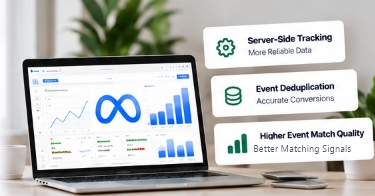
Meta Conversions API setup illustration with server-side tracking, event deduplication, and event match quality
Platforms We Work With
Meta
Google Tag Manager
Google Analytics
Google Ads
Shopify
Stape

What's Included in My Meta CAPI Setup

Complete CAPI Implementation

Server-side events with proper configuration and resilient container setup.

Event Deduplication

Browser and server event deduplication setup using unique event IDs.

Event Match Quality

Improve EMQ with customer data parameters and advanced hashed matching.

Custom Event Setup

Purchase, lead, signup and bespoke ecommerce conversion events.

Testing & Verification

Using Events Manager Test Events tool and real-time payload debugging.

Implementation Guidance

Clear implementation documentation and guidance after setup.

Common Tracking Issues I Fix

  • Missing or untracked events
  • Duplicate conversions
  • Low event match quality
  • Incorrect event parameters
  • Pixel and CAPI conflicts
  • Broken or misconfigured setup

How Meta CAPI Works

1

Browser Event

Captured on your website (e.g. PageView, Add to Cart, Purchase).

2

Server Event (CAPI)

Sent from your server (e.g. Stape, GCP, AWS) using the Conversions API.

3

Events Deduplicated

Meta matches browser and server events for accurate data.

Why Use Meta CAPI?

  • More accurate conversion data
  • Higher event match quality
  • Stronger measurement inputs for Meta
  • Reduces Reliance on Browser-Only Event Delivery
  • Reduced Reliance on Browser-Only Tracking

What You'll Get

  • Complete CAPI setup
  • Event deduplication
  • Improved event match quality
  • Custom event configuration
  • Testing and verification
  • Implementation guidance

Platforms & Integrations

Seamless setup across major eCommerce platforms, custom stacks, and tracking infrastructure.

Shopify
WooCommerce
Custom Websites
Stape
Google Analytics
Google Tag Manager

Frequently Asked Questions

What is Meta Conversions API?
Meta Conversions API (CAPI) is a server-to-server tracking tool that connects your website directly to Meta's servers. Unlike the client-side Meta Pixel that runs in a user's browser and can be blocked by ad blockers or browser privacy restrictions, CAPI sends conversion events directly from your server (via server-side Google Tag Manager or Stape), ensuring complete, accurate data collection.
Do I need CAPI if I already have the pixel?
Yes. Meta recommends running both the Meta Pixel and Conversions API simultaneously in a redundant setup. When configured with unique event IDs, Meta automatically deduplicates identical events. If browser tracking is interrupted or blocked, the server event ensures the conversion is recorded. If server data has higher match parameters, Meta merges both to improve signal quality.
Which events do you set up?
Standard eCommerce implementations cover PageView, ViewContent, AddToCart, InitiateCheckout, and Purchase (including order value, currency, and items). For lead generation businesses, we configure Lead, CompleteRegistration, Contact, and custom conversion events tailored to your funnel.
Will this improve my ad performance?
Meta CAPI directly improves conversion data accuracy and Event Match Quality (EMQ). By sending more complete conversion data and richer customer parameters (hashed emails, phone numbers, click IDs) back to Meta, advertising algorithms receive stronger measurement inputs. While campaign outcomes depend on your creative, offer, and budget, clean conversion data ensures Meta's optimization models operate on accurate signals rather than incomplete browser drops.
Is there a fixed price?
Because store architectures vary — from standard Shopify stores to custom headless stacks or complex WooCommerce setups — pricing is based on the specific scope of work, platforms involved, and custom event requirements. Reach out via WhatsApp with your website details to receive a fast, transparent quote.
Do you also set up custom events?
Yes. Beyond standard Meta events, I configure custom events and parameters (e.g., subscription activations, quote submissions, trial signups, multi-step funnel steps) with full server-side payload handling and matching parameters.
Which platforms do you support?
I implement Meta CAPI across Shopify, Shopify Plus, WooCommerce, Magento, custom web applications (React, Next.js, Node.js, PHP, Laravel), and headless setups using server-side Google Tag Manager (sGTM) hosted on Stape.io or Google Cloud Platform (GCP).
How long does Meta CAPI setup take?
The timeline depends on your current tracking setup, platform, number of events, server-side architecture, and any existing issues that need debugging. I’ll confirm the expected timeline after reviewing your setup.
Can you fix an existing CAPI implementation?
Absolutely. Many clients come with duplicate conversions (missing event_id), poor Event Match Quality (low EMQ scores due to missing customer parameters), or conflicting app integrations. I audit your existing Pixel and CAPI architecture, eliminate duplicate triggers, and re-engineer the flow cleanly.
How do you test whether CAPI is working?
Every implementation is verified through Meta Events Manager's Test Events tool, real-time server container debugging, and live test orders. We verify that browser and server events fire with identical event_id and event_name, confirm that Meta deduplicates them properly, and verify that customer information parameters are passed and hashed securely.
CONNECT WITH ME

Let's stay connected.

Follow my work, tracking insights, and updates across the platforms I use.

READY TO IMPROVE YOUR META TRACKING?

Get Your Meta CAPI Setup

Accurate data. Higher event match quality. Stronger measurement inputs.
Meta CAPI setup and measurement accuracy dashboard preview
Chat on WhatsApp